Resume parsing
Resume parsing that survives a real CV.
PDFs, Word exports, scans and phone photos become structured candidate records — searchable, deduplicated, and shown to you for review before anything is saved.
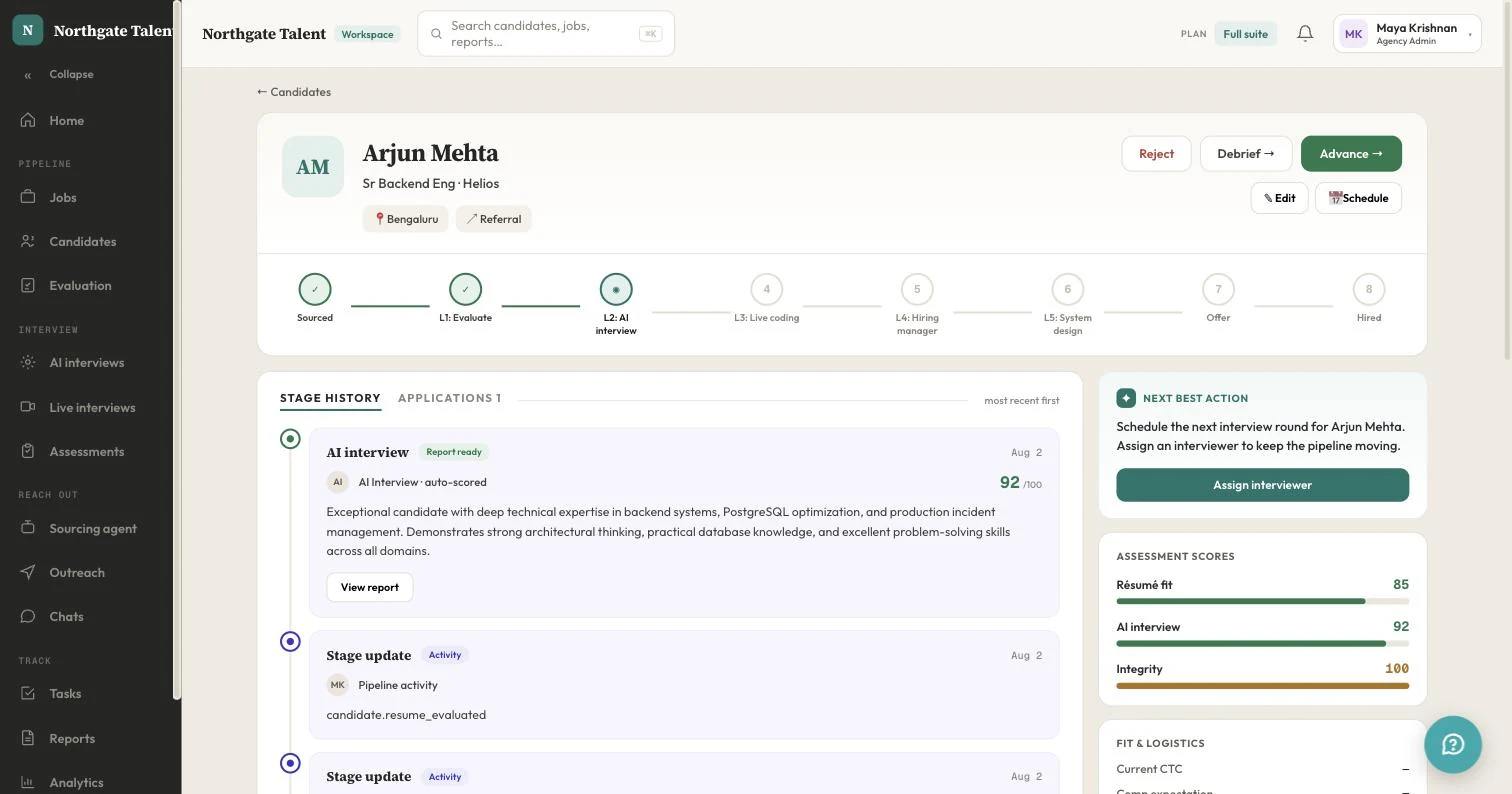
How it works
File in, candidate record out.
Step 01
Upload or forward
One file, a whole folder, or a push from your own system through the API. PDF, image and common document formats, up to 15MB each.
Step 02
Extract and structure
Text-based files are read directly and scans go through OCR, then the content is resolved into fields rather than matched against a list of regular expressions.
Step 03
Review, then save
The parsed record appears prefilled for a quick check. Anything the parser was unsure of is marked rather than quietly guessed, so a bad extraction is visible in seconds.
What comes out
The fields you can actually search on.
Name and contact details
Full name, email, phone and location, normalised so a search for one candidate does not return three copies of them under different spellings.
Current employer
Pulled from the most recent role rather than the first company name on the page, which is what catches out simple keyword extraction.
Skills
Extracted as a list you can filter and stack-rank across a whole applicant pool, not as a blob of matched keywords.
Years of experience
Derived from the employment history rather than read off a line that says it, so a CV that never states a total still gets one.
A written summary
Two or three sentences describing who this person is, so a shortlist can be skimmed without opening every attachment.
The original file, kept
Stored against the record and always one click away. The extraction is a convenience, not a replacement for what the candidate sent.
Honest limits
Where any parser struggles.
Multi-column layouts, skills drawn as unlabelled bar charts, dates embedded in images, and creative CVs built in a design tool are where extraction quality drops — for every vendor, not just this one. Anyone promising perfect accuracy on arbitrary documents is describing a demo rather than a Tuesday.
What we do about it is show our working: the parsed record is a draft you confirm, uncertain fields are marked as uncertain, and the source file stays attached. A wrong extraction costs you a correction, not a missed candidate.
Questions about resume parsing
- What is resume parsing?
- Turning an unstructured CV — a PDF, a Word export, a photo of a printout — into structured fields a system can search and filter: name, contact details, employers, skills and years of experience. Without it, a hundred applications are a hundred documents somebody has to open one at a time.
- Does it work on scanned resumes and photos?
- Yes. Text-based PDFs are read directly; scans and photographs go through OCR first. Quality still matters — a skewed phone photo of a dense two-column layout will lose more than a clean export — and anything the parser is unsure of is shown as unconfirmed rather than guessed at.
- How accurate is it?
- Contact details and employment history are reliable on well-formed documents. Heavily designed CVs — multi-column layouts, skills expressed as unlabelled bar charts, dates in graphics — are where every parser degrades, ours included. That is why the parsed record is presented for review before it is saved, rather than written straight to the database.
- What happens to the original file?
- It is stored against the candidate record and stays available, so a recruiter can always open what the candidate actually sent rather than working from the extraction. Retention follows your organisation's deletion policy.
- Can I parse resumes in bulk?
- Yes. Drop a folder of files into the importer and each one is parsed as it uploads, with a per-file status so a failure is visible rather than silent. The same thing is available through the REST API if you are pushing candidates from another system.
Keep reading
Get started
Stop opening attachments one at a time.
Upload a folder of CVs and have a searchable shortlist before you finish your coffee.
No card. 1 job free forever. Cancel by closing the tab.